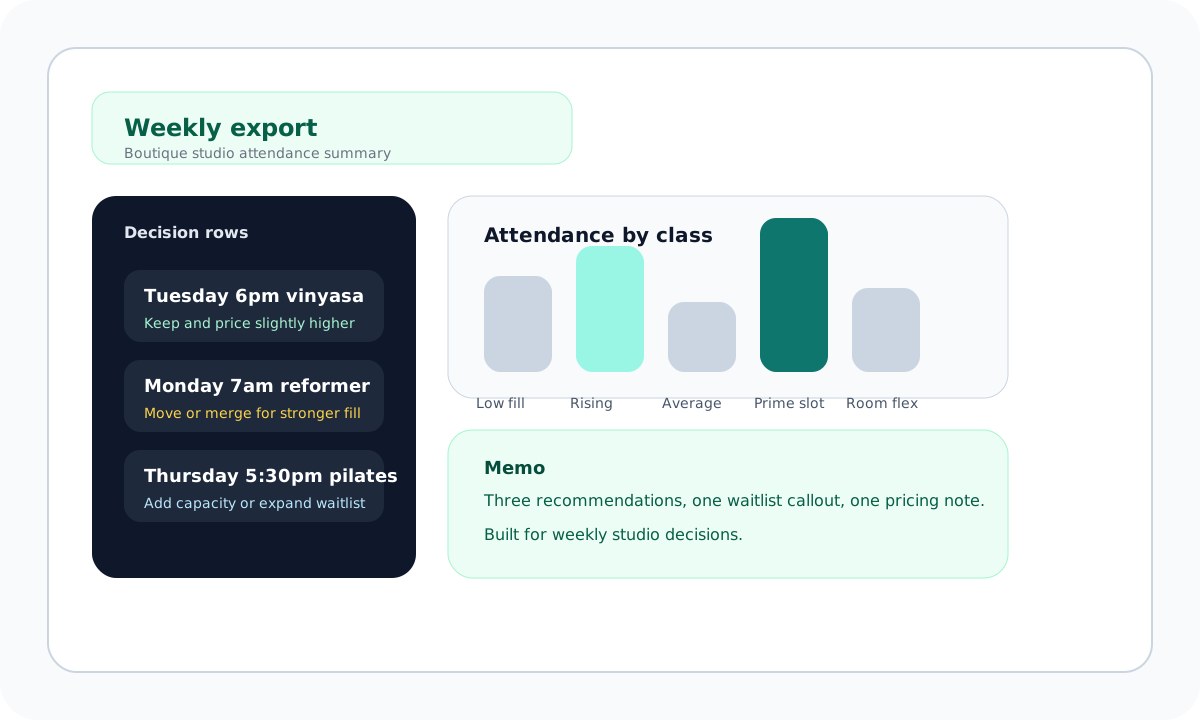
Tuesday 6:00pm vinyasa 94%
Keep it, raise the price slightly, and hold a waitlist.
Boutique yoga + pilates
ClassFill Coach turns a messy studio spreadsheet into a keep, cut, retime, and price-up memo. It is built for owners who already have booking data and need a weekly decision layer.
This week’s upload
Live memoKeep it, raise the price slightly, and hold a waitlist.
Move it or merge it. Demand is too thin for a prime slot.
Add one more class or move into a room with more capacity.
Response format
Three recommendations, a waitlist callout, and one pricing note your team can use this week.
1. Upload
Create an account and drop in a weekly attendance export.
2. Analyze
ClassFill Coach turns the file into a keep, cut, retime, and pricing memo.
3. Act
Open the dashboard, review the memo, and send feedback if the export format is odd.
The onboarding flow opens the dashboard. The dashboard accepts the export, generates a memo, and leaves a feedback route open for edge cases.
Upload
File or pasted summary.
Memo
Keep, cut, retime, price-up.
Feedback
Edge cases stay visible.
Open signup, create a studio account, and move into the live plan surface.
Start with one audit and upgrade when you want saved weekly plans.
The dashboard is where the upload turns into a recommendation memo.
A weekly attendance export, or a pasted summary if your system makes CSV export awkward.
A short memo with the highest-confidence decisions and one pricing note.
Revenue signal
The paid path stays visible from the homepage and pricing page, with the upgrade CTA routed to signup for a deeper audit flow.